OPC UA Server
Overview
This feature is available from PROCON-Connect 1.5.0 onwards.
The OPC UA server, as currently implemented, is suitable for PROCON-to-PROCON communication. Data can be published on the PROCON-Connect OPC UA server and received via the OPC UA client in PROCON-WEB Embedded Systems, PROCON-WEB SCADA or another PROCON-Connect system. The OPC UA server will be gradually expanded to support further use cases.
Server overview
Overview of server management and published tags.
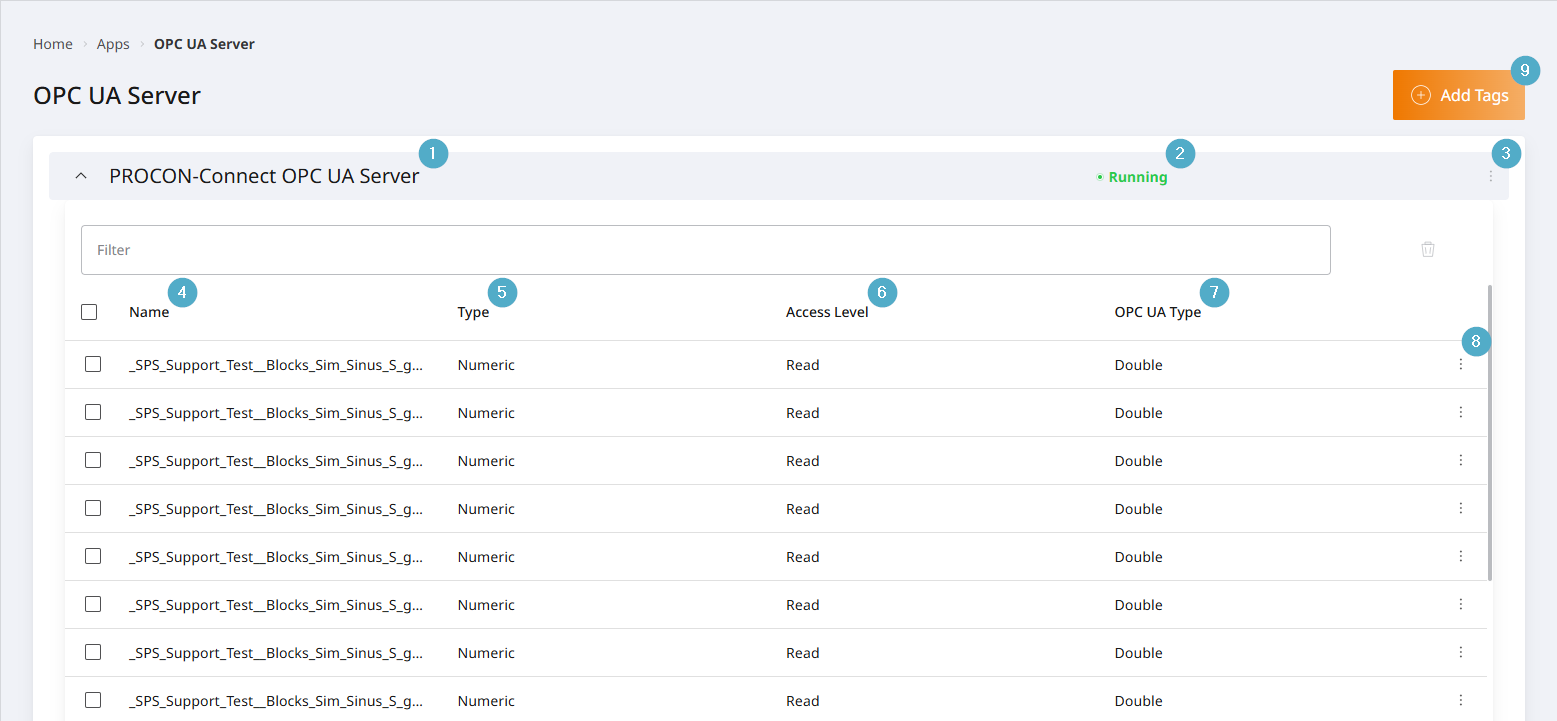
Server Name: Name of the server. The default is PROCON-Connect OPC UA Server. To change this, go to the server’s Options menu.
Server status: The status of the server. The default status is
Stopped. Must be set toActivevia the server’s Options menu in order to publish tags.Server Options menu: Entry point for the configuration of the server.
Name: The name of the published tag.
Type: Data type of the published tag. Numeric, logical or text.
Access rights: OPC UA access rights for the tag. The options are
Read,WriteandRead and Write. The default isRead.OPC UA Type: The OPC UA type of the published tag. Numeric tags can be cast during publication. The default is Double, as PROCON-Connect processes numeric tags internally as Double, ensuring that no precision is lost during casting.
Options menu – Published tag: Entry point for editing or deleting the publication.
Add tag: Starting point for publishing tags. Opens a dialogue box.
Configuring the OPC UA server
You can select the Edit option from the server’s Options menu. The configuration window will open.
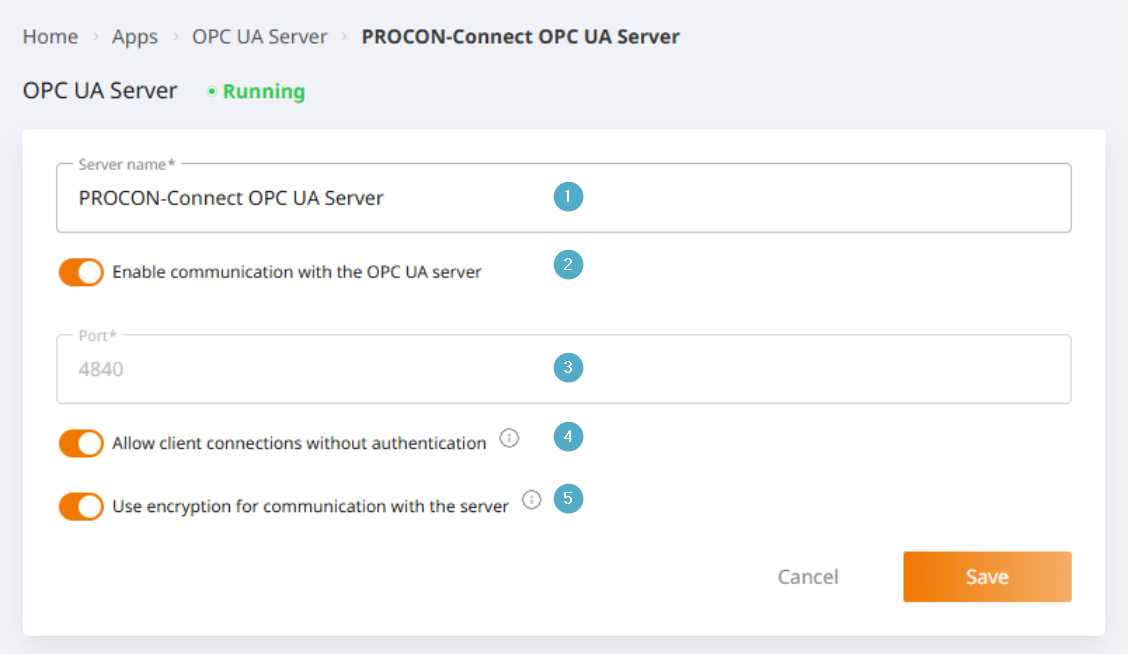
Server Name: Name of the server. The default is PROCON-Connect OPC UA Server. This can be changed.
Enable communication: Switch to enable/disable the OPC UA server. The server must be enabled in order to publish tags.
Port: The default port is 4840. This cannot currently be changed in u-OS.
Allow client connections without authentication: If enabled, all clients can connect to this server without having to provide authentication details. If disabled, clients must provide valid login credentials to connect. It is possible to log in using users stored in the PROCON instance’s user management system. A corresponding authorisation exists here, which must be assigned to the user via a role.
Use encryption for communication with the server: If enabled, communication with the server is encrypted. The server generates a self-signed certificate for encryption. If disabled, communication with the server is unencrypted.
Publish tags
You can open the dialog for adding published tags by clicking the “Add Tags” button.
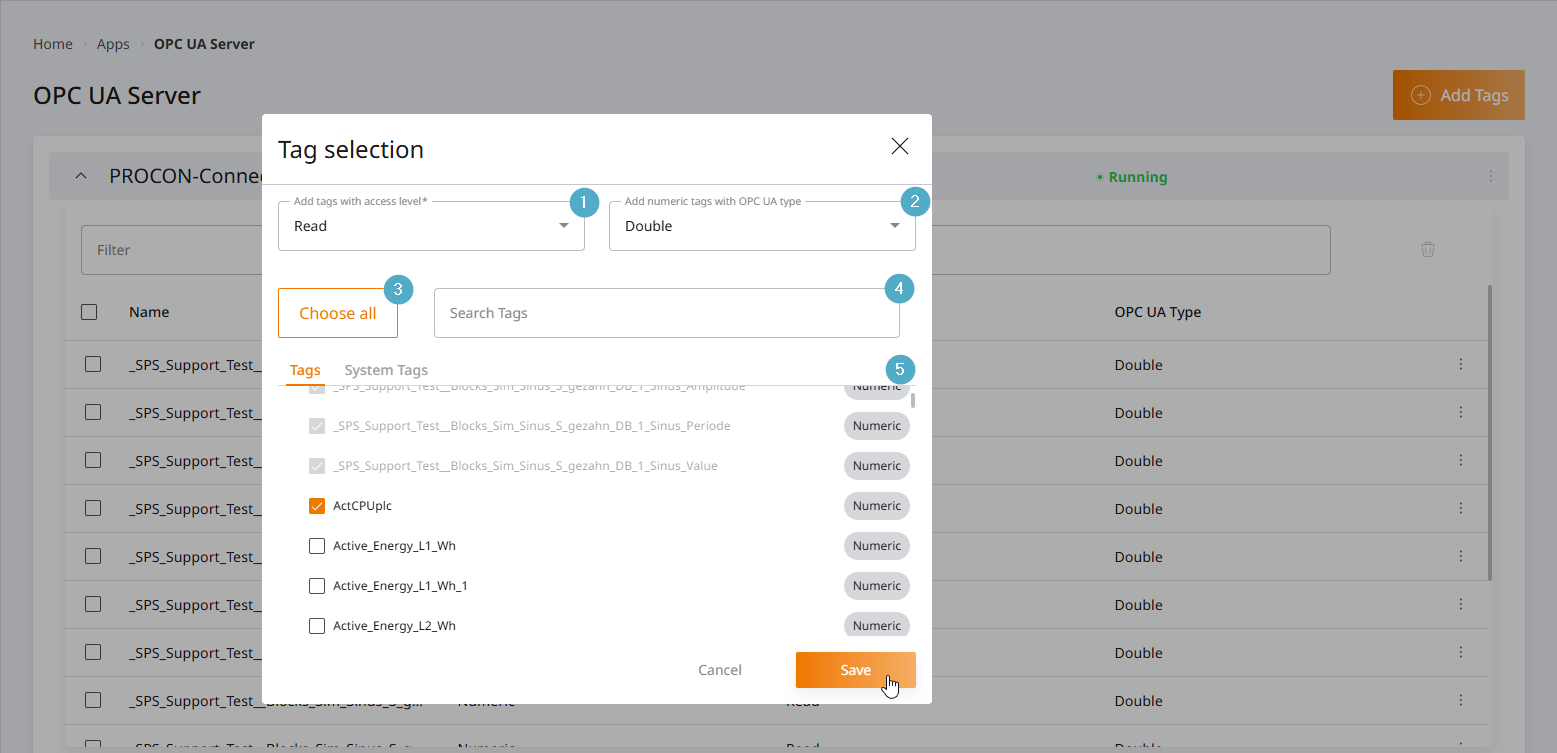
Access Right: OPC UA access right to the tag. Possible options are
Read,Write, andRead and Write. The default isRead.OPC UA Numeric Tag Type: The OPC UA type of the published tag. Numeric tags can be cast during publication. The default is Double, since PROCON-Connect processes numeric tags internally as Double, ensuring that no precision is lost during casting.
Select All: Select or deselect all checkboxes at once.
Search by tag: Filter by tag name.
Tag Selection: You can switch between selections using the
TagsandSystem Tagstabs. Check the boxes next to the tags you want to add. Once you save your selection, it will be published.